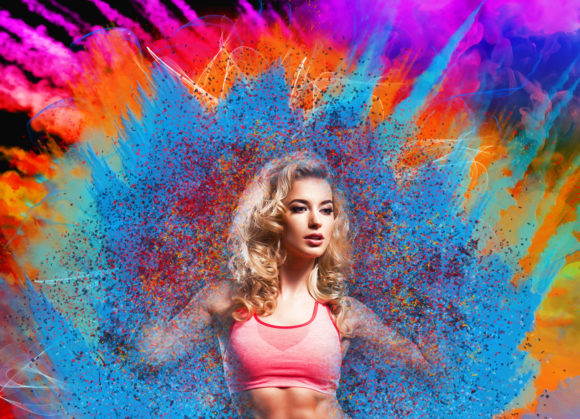
Explosion Color Photoshop Action Guide
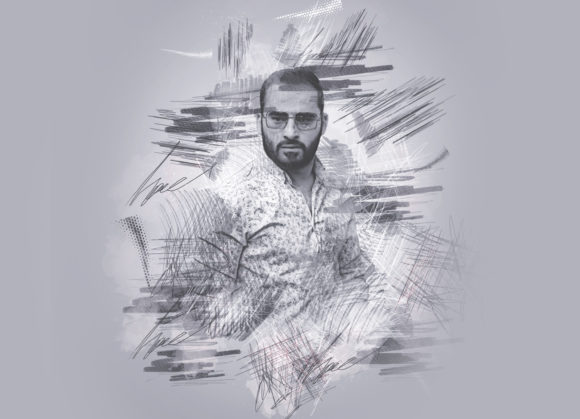
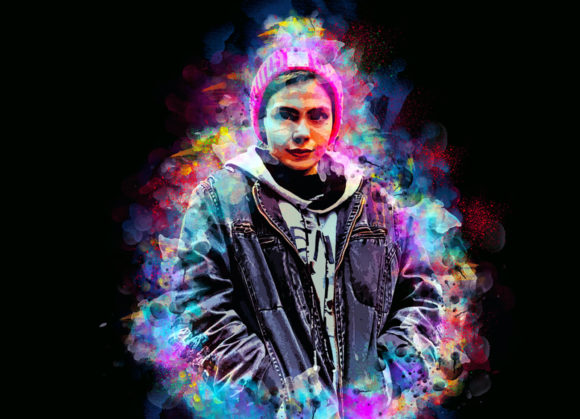
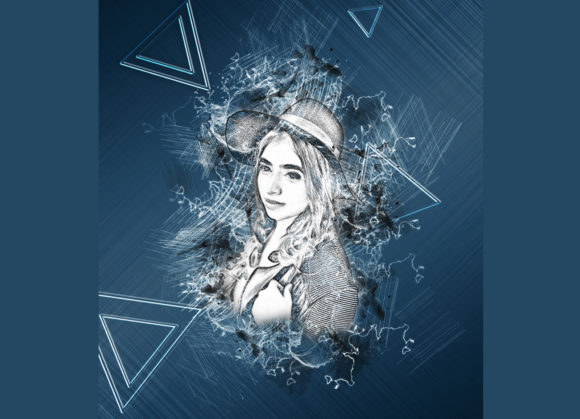
Visual impact is the currency of the digital age. Whether you are designing a social media campaign, crafting a YouTube thumbnail, or polishing a portfolio piece, static images often fail to capture attention in a saturated feed. This is where dynamic post-processing techniques come into play. The Explosion Color Photoshop Action offers a streamlined solution for creators who need high-impact visual effects without spending hours on manual layer masking and color grading. It transforms standard photography into vibrant, energetic compositions that pop off the screen.
Understanding the Tool’s Core Value
At its heart, this tool is an automated script designed to apply complex color dispersion and burst effects to your images. Manually creating an "explosion" of color involves intricate work with displacement maps, brush dynamics, and multiple adjustment layers. It is time-consuming and requires a advanced understanding of Photoshop’s blending modes. This action simplifies that workflow significantly. By automating the technical heavy lifting, it allows photographers and designers to focus on creative direction rather than pixel-pushing mechanics.
The primary appeal lies in its versatility. It is not just a filter; it is a customizable engine. With ten different color options available upon opening the unviewed eye layer, you can match the effect to specific brand guidelines or artistic moods. This level of customization ensures that the output feels intentional and professional, rather than generic or preset-heavy.
Key Features and Technical Compatibility
One of the most critical aspects of any digital asset is compatibility. Creators work across various versions of Adobe software, and a tool that locks you into the latest subscription tier can be a barrier. This action supports a wide range of Photoshop versions, including CS4, CS5, CS5.5, CS6, and the Creative Cloud series from CC2014 through CC2020. This broad support makes it accessible to freelancers working on older machines as well as agencies utilizing the latest English Version updates.
The workflow is explicitly non-destructive. This is a vital feature for professional editors. Non-destructive editing means that the original image data remains untouched. You can toggle effects on and off, adjust opacity, or modify colors at any stage of the project without degrading image quality. This flexibility is essential when clients request revisions or when you need to A/B test different visual styles for marketing campaigns.
The package includes everything needed for immediate implementation:
- ATN File: The core action script that drives the automation.
- Custom Brushes: Pre-configured brushes that define the texture and spread of the explosion.
- Patterns: Additional textures to add depth to the color bursts.
- PDF Help File: A comprehensive guide ensuring smooth setup and usage.
Step-by-Step Implementation for Best Results
While the tool is designed for ease of use, achieving a high-quality result requires following a specific preparation process. Many users skip these steps and end up with clipped edges or unnatural transitions. To get the most out of the Explosion Color Photoshop Action, precision in setup is key.
- Canvas Preparation: This is the most important instruction. For the explosion effect to look natural, it needs space to expand. Start by extracting your subject from the background if necessary. Then, use the Crop Tool to extend the canvas on three sides. This extra negative space allows the color particles to disperse realistically without hitting the edge of the frame.
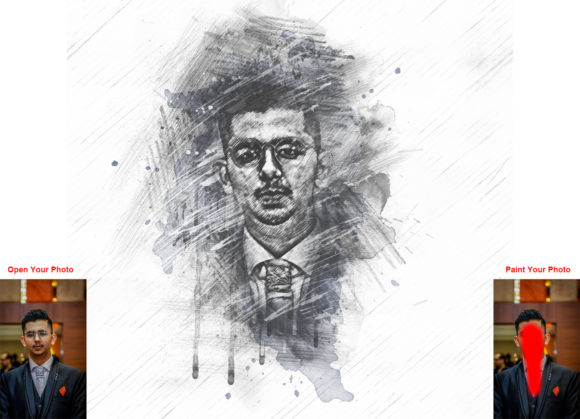
- Layer Setup: Open your photo and create a new layer. Rename this layer “brush” in lowercase letters. The action is scripted to look for this specific name, so accuracy here is mandatory.
- Masking the Effect: Select a soft brush and paint over the areas of the image where you want the color explosion to originate. Typically, this is done on the edges of the subject or behind them to create depth. Once painted, close the eye icon on the brush layer to hide it, but keep the layer selected.
- Execution: Click the play button on the action panel. The script will process the hidden brush strokes, applying the selected color pattern and dispersion effect.
For optimal clarity and detail, it is recommended to use images with a resolution around 2000x3000px. Lower resolution images may appear pixelated when the effect expands, while excessively large files may slow down processing time without adding visible benefit.
Practical Applications Across Industries
The utility of this action extends beyond simple photo enhancement. Its ability to inject energy and motion into static frames makes it valuable across several professional domains.
Digital Marketing and Social Media
In the scroll-heavy environment of Instagram, TikTok, and LinkedIn, stopping power is crucial. Marketers can use the explosion effect to highlight product launches. For instance, a sneaker brand might use the action to create a burst of color behind a new shoe model, drawing the viewer’s eye directly to the product. The ten color options allow for seasonal campaigns—warm tones for summer sales, cool blues for tech promotions.
Content Creation and Branding
YouTubers and bloggers rely on thumbnails to drive click-through rates. A standard portrait can be transformed into a dynamic thumbnail by adding a subtle color explosion behind the subject’s head or shoulders. This adds a layer of professionalism and excitement that distinguishes the content from competitors. Furthermore, because the effect is customizable, creators can align the colors with their channel’s branding palette, reinforcing brand recognition.
Educational and Corporate Presentations
Even in corporate settings, visual engagement matters. Educators and trainers can use these effects to create compelling title slides or section breaks in presentations. Highlighting key concepts with a burst of color can help retain audience attention and emphasize important data points in infographics.
Maximizing Efficiency and Creativity
The true benefit of integrating the Explosion Color Photoshop Action into your workflow is the balance between speed and quality. Manual creation of such effects can take thirty minutes to an hour per image. With this action, the same result is achieved in seconds. This efficiency allows freelancers to take on more projects and agencies to meet tighter deadlines without compromising on visual standards.
Moreover, the ease of changing brush colors means you can experiment rapidly. You are not locked into a single look. If a client prefers red over blue, the switch is instantaneous. This iterative capability fosters creativity, allowing designers to explore variations they might not have attempted if the process were labor-intensive.
It is worth noting that preview images are not included in the download, so relying on the PDF Help file for initial guidance is advisable. The documentation provides clear examples of how different brush shapes and canvas extensions affect the final output. Taking the time to read this guide ensures that you avoid common pitfalls, such as insufficient canvas space or incorrect layer naming.
Final Thoughts on Visual Enhancement
In a digital landscape defined by rapid consumption, tools that enhance visual storytelling are indispensable. The Explosion Color Photoshop Action is more than a novelty; it is a practical asset for anyone looking to elevate their photographic work. By combining non-destructive editing, broad software compatibility, and easy customization, it empowers users to create professional-grade visuals efficiently. Whether you are a hobbyist looking to spice up personal photos or a marketer driving engagement, mastering this tool can significantly enhance your creative toolkit.