Master the Techno Effect in Photoshop
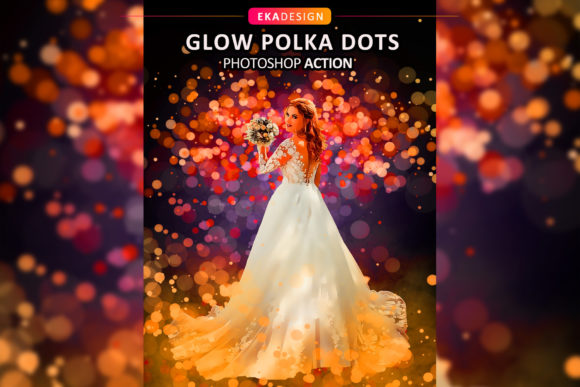
Transforming a standard photograph into a futuristic, high-tech masterpiece often requires hours of meticulous layering, masking, and color grading. However, modern digital workflows demand speed without sacrificing quality. This is where the Techno Effect becomes an invaluable asset for creators. By leveraging a specialized Photoshop Action, you can generate this highly detailed aesthetic from your photos with just a couple of clicks. This tool is explicitly designed to save you an immense amount of work per photo, allowing you to focus on creativity rather than repetitive technical tasks.
Understanding the Techno Aesthetic
The term "techno" in visual design evokes imagery associated with cyberpunk themes, neon lights, circuit boards, and digital interfaces. Achieving this look manually involves complex blending modes, precise brushwork, and a deep understanding of light and shadow. The Techno Effect Photoshop Action automates these intricate processes. It applies a series of pre-recorded steps that add glowing lines, mechanical textures, and vibrant color shifts to your subject.
For beginners, this lowers the barrier to entry significantly. You do not need to be a expert in Adobe Photoshop to achieve professional-grade results. For seasoned professionals, it serves as a powerful time-saver, providing a solid foundation that can be further customized. The appeal lies in its ability to turn ordinary portraits or product shots into eye-catching visuals that stand out in crowded digital spaces.
Why Efficiency Matters in Creative Work
In today’s fast-paced digital environment, turnaround time is critical. Whether you are a freelancer managing multiple clients, a marketer preparing social media assets, or a blogger creating featured images, spending three hours on a single effect is rarely feasible. This action streamlines the workflow by condensing what would normally be a thirty-minute to two-hour process into seconds.
Beyond speed, consistency is a major benefit. When working on a series of images for a brand campaign or a personal project, maintaining a uniform style is essential. Manual editing can lead to slight variations in tone or structure. An automated action ensures that every image receives the same treatment, creating a cohesive visual identity across your portfolio or marketing materials.
Technical Requirements and Compatibility
Before diving into the creative possibilities, it is crucial to understand the technical constraints to ensure a smooth experience. The Techno Effect Photoshop Action is built for stability and performance within specific environments. My working software version is CS5 English Version. It is important to note that there is a strict restriction: you must install the version in English. For now, other languages are not supported.
This language requirement is common with many advanced Photoshop actions because they rely on specific layer names and menu commands that vary across localized versions of the software. Using a non-English version may cause the action to fail or produce unexpected results. Ensuring your Photoshop interface is set to English will guarantee that the script executes correctly every time.
Optimizing Your Input for Best Results
While the tool is powerful, the quality of the output is directly dependent on the quality of the input. To get the best possible outcome out of the Photoshop Action, you should use as an input only high-resolution images. Low-quality or pixelated source files will result in a blurry or unrefined final effect, as the action cannot create detail that does not exist in the original photo.
The recommend resolution is 3000px x 3500px pixels at 300 dpi. This size provides enough data for the action to apply sharp details and clean edges. If you are working with smaller images, consider upscaling them using Photoshop’s preservation details feature before running the action, though starting with a high-res native file is always superior. High DPI (dots per inch) ensures that if you intend to print the final artwork, it will remain crisp and professional.
The Advantage of Organized Layers
One of the most significant features of this tool is its internal structure. Many automated actions flatten the image, leaving no room for adjustment. In contrast, the best of the Photoshop Action is that it will keep layers organized. That way, you can further work on your image quickly, customizing it even further.
Each Photoshop Action has its own layers of organization. After the effect is applied, you will see a group of layers containing the various elements of the techno design—such as glows, textures, and color overlays. This non-destructive approach allows you to:
- Adjust the opacity of specific elements to tone down the intensity.
- Change the blending modes to experiment with different lighting effects.
- Mask out areas where the effect might obscure important details of the subject.
- Add your own text or graphics seamlessly into the existing composition.
This flexibility transforms the action from a simple filter into a dynamic starting point for deeper creative exploration.
What Is Included in the Package
When you acquire this tool, you receive a comprehensive set of files designed to facilitate immediate use. Understanding what is included helps you prepare your workspace effectively. The package contains:
- Brushes (ABR): Custom brushes that may be used by the action or for manual touch-ups.
- Action (ATN): The core file that runs the automation sequence in Photoshop.
- Help File (Notepad): A simple text document with installation instructions and troubleshooting tips.
It is important to manage expectations regarding additional assets. Please note that preview images and Mockup are not included. The files provided are strictly functional tools for creating the effect. You will need to supply your own photographs to test and utilize the action.
Practical Use Cases for Creators
The versatility of the Techno Effect makes it suitable for a wide range of applications. Here are a few realistic scenarios where this tool adds significant value:
Social Media Content: Influencers and content creators can use this effect to create striking profile pictures or post headers that grab attention in a feed. The neon and cybernetic aesthetics perform well on platforms like Instagram and TikTok.
Gaming and Esports: Streamers and esports teams often require bold, aggressive branding. Applying this effect to player portraits can enhance the high-energy vibe associated with gaming culture.
Music Promotion: Electronic music producers and DJs can use these visuals for album covers, event flyers, and promotional banners. The techno visual style aligns perfectly with electronic dance music genres.
Corporate Tech Branding: Startups in the AI, cybersecurity, or software sectors can use subtler variations of this effect to illustrate concepts like connectivity, data flow, and innovation in their presentations and website headers.
Final Thoughts on Workflow Integration
Integrating the Techno Effect Photoshop Action into your workflow is a strategic move for anyone looking to elevate their visual content efficiently. By adhering to the language requirements and using high-resolution source images, you ensure consistent, high-quality results. The organized layer structure empowers you to maintain creative control, allowing for customization that suits your specific vision. Whether you are a hobbyist exploring digital art or a professional managing tight deadlines, this tool offers a practical solution for achieving complex, futuristic designs with minimal effort.