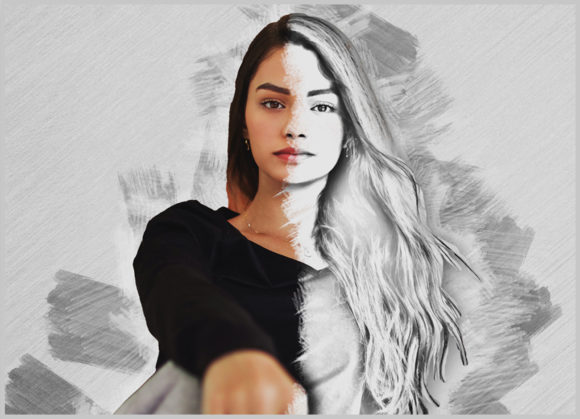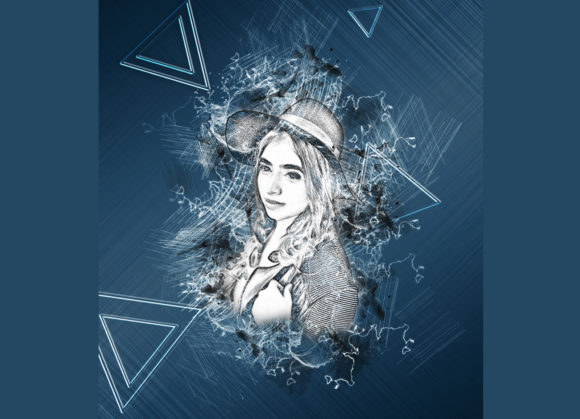
Artistic Sketch Photoshop Action Guide
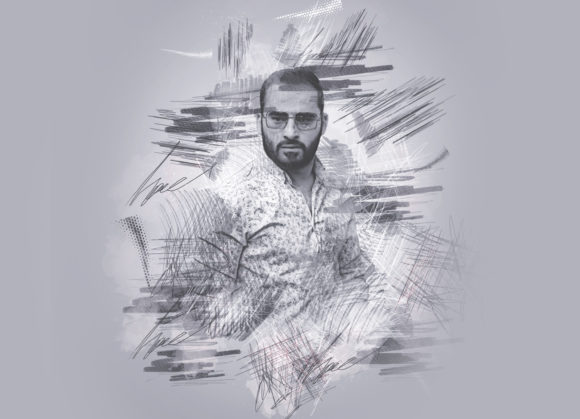
Transforming a standard digital photograph into a hand-drawn masterpiece often requires hours of meticulous work, advanced drawing skills, or expensive outsourcing. For content creators, marketers, and design enthusiasts, the demand for unique visual assets is constant, yet the time to produce them is scarce. This is where an Artistic Sketch Photoshop Action becomes an invaluable tool in your creative workflow. By automating complex layer adjustments and filter applications, this technology allows you to convert ordinary images into extraordinary artistic sketches with remarkable speed and consistency.
The core value of using a professional action pack lies in its ability to democratize high-end graphic design effects. You do not need to be a master illustrator to achieve a polished, gallery-worthy look. Instead, you leverage pre-configured scripts that handle the heavy lifting, allowing you to focus on composition, storytelling, and brand alignment. Whether you are designing social media content, creating book covers, or enhancing personal portfolios, understanding how to effectively utilize these tools can significantly elevate your output quality while reducing production time.
Streamlining Creative Workflows with Non-Destructive Editing
One of the most critical aspects of modern digital editing is non-destructive workflow. When you apply an Artistic Sketch Photoshop Action, you are not permanently altering your original pixel data. This safety net is essential for professionals who need to iterate quickly. If a client requests a different tone or if the initial sketch intensity feels too strong, you can adjust parameters without starting from scratch. This flexibility encourages experimentation, allowing creators to test various styles until they find the perfect match for their project’s aesthetic.
The efficiency gained here is substantial. Consider a photographer who needs to deliver a series of portrait edits with a consistent sketch style. Manually applying filters, adjusting contrast, and adding texture overlays for each image could take thirty minutes per photo. With a well-designed action, this process is reduced to seconds. After the initial setup, the action applies the same precise calculations to every image, ensuring uniformity across a campaign. This consistency is vital for brand identity, where visual coherence helps reinforce recognition and trust among audiences.
Customization and Color Versatility
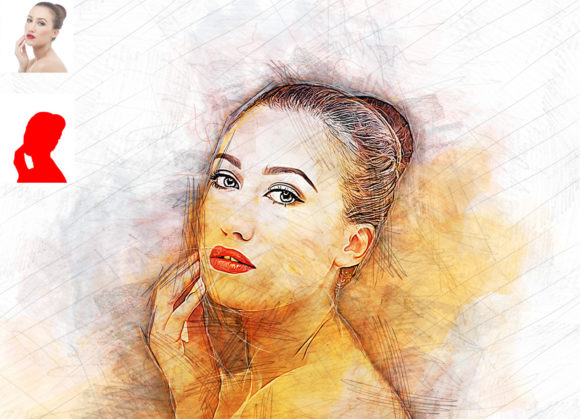
While automation provides speed, customization provides relevance. A generic filter often fails to capture the specific mood of an image. High-quality action packs address this by offering extensive customization options. For instance, many professional packs include multiple color variations, allowing you to shift the tone of the sketch to match your brand palette or the emotional context of the photograph. Having access to ten different color options means you can transform a warm, nostalgic portrait into a cool, modern architectural study with just a few clicks.
The ease of changing colors is particularly beneficial for marketers who need to adapt visuals for different platforms or seasonal campaigns. Imagine creating a promotional graphic for a summer sale; you might prefer bright, vibrant sketch tones. For a winter collection, cooler, muted shades might be more appropriate. The ability to toggle between these options without re-processing the entire image saves valuable time. Furthermore, because the layers are organized logically, you can fine-tune individual elements, such as opacity or blending modes, to achieve a truly bespoke result that feels hand-crafted rather than automated.
Technical Compatibility and Ease of Use
For any digital tool to be effective, it must integrate seamlessly into existing software environments. The Artistic Sketch Photoshop Action is designed with broad compatibility in mind, supporting a wide range of Adobe Photoshop versions. From older iterations like CS5.5 and CS6 to the more recent CC2014 through CC2020 English versions, users can rely on consistent performance. This backward compatibility is crucial for freelancers and small businesses that may not always have the latest hardware or software subscriptions but still require professional-grade results.
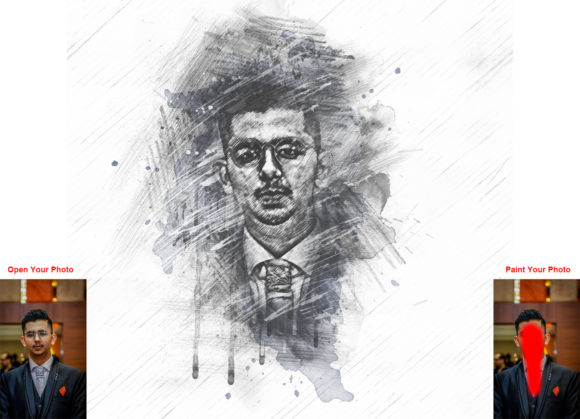
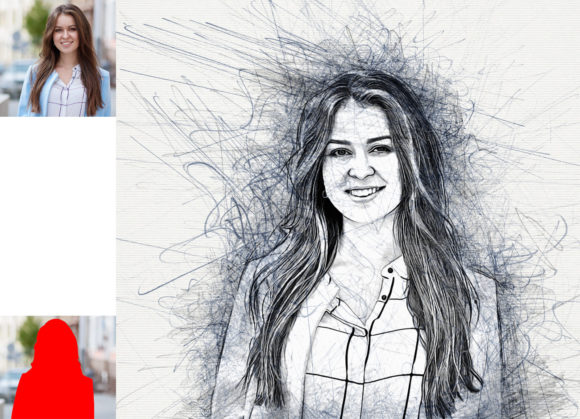
Installation and usage are streamlined to minimize technical barriers. The process typically involves loading the ATN file and following a straightforward procedure. A key instruction for optimal results is to prepare your image correctly before running the action. Users are advised to open their photo, create a new layer, and rename it “paint” in lowercase. Using a brush, you paint over the areas you wish to emphasize or define. This step gives you control over which parts of the image receive the strongest sketch effect, allowing for guided attention in the final composition. Once the painting layer is hidden but selected, clicking the play button executes the transformation.
This method ensures that the action works on every photo, regardless of complexity. The inclusion of help files, PDF guides, and even 24-hour support further reduces the learning curve. For those new to Photoshop actions, these resources provide confidence and clarity, ensuring that the tool enhances rather than hinders the creative process. The recommended image sizes, such as 2000x3000 or 3000x2000 pixels at 72 DPI, are optimized for web and digital display, making them ideal for online portfolios, social media posts, and digital advertisements.
Practical Applications for Professionals and Hobbyists
The versatility of the Artistic Sketch Photoshop Action makes it suitable for a diverse audience. Bloggers and content creators can use it to create eye-catching featured images that stand out in crowded feeds. Educators might employ sketch-style visuals to simplify complex diagrams or highlight specific details in instructional materials. Small business owners can enhance product photos with an artistic flair, giving their e-commerce listings a unique, boutique feel that differentiates them from competitors using standard stock imagery.
Freelance designers and photographers also benefit significantly. Offering sketch-style edits as part of a service package can expand a portfolio’s appeal and attract clients looking for distinctive visual identities. The high-quality results produced by these actions ensure that the final output meets professional standards, suitable for print-on-demand products, greeting cards, or framed art sales. By reducing the technical overhead, creators can take on more projects or dedicate more time to the strategic aspects of their work, such as client communication and marketing.
Considerations for Optimal Results
While these actions are powerful, they are not magic wands that fix poor source material. The quality of the output is heavily dependent on the input image. Photos with good lighting, clear subjects, and sufficient contrast tend to yield the best sketch conversions. Images that are overly dark, blurry, or cluttered may require additional preprocessing, such as adjusting levels or sharpening details, before applying the action. Understanding these limitations helps users set realistic expectations and achieve better outcomes.
Additionally, while the action provides a strong foundation, minor manual tweaks can often elevate the result further. Adjusting the opacity of specific layers or modifying the brush strokes on the “paint” layer can refine the emphasis and depth of the sketch. Users should view the action as a starting point rather than a final destination. This mindset encourages continuous improvement and mastery of the tool, leading to more sophisticated and personalized designs over time.
In conclusion, integrating an Artistic Sketch Photoshop Action into your digital toolkit offers a compelling blend of efficiency, creativity, and professionalism. It empowers users to produce high-quality, artistic visuals without the need for extensive manual labor or specialized drawing skills. By leveraging non-destructive editing, customizable color options, and broad software compatibility, creators can enhance their visual communication, save time, and deliver standout content that resonates with their audience. Whether you are a seasoned designer or a passionate hobbyist, this tool provides a practical pathway to transforming ordinary photos into extraordinary artistic expressions.