Transforming Ordinary Photos with the Color Splatter Photoshop Action
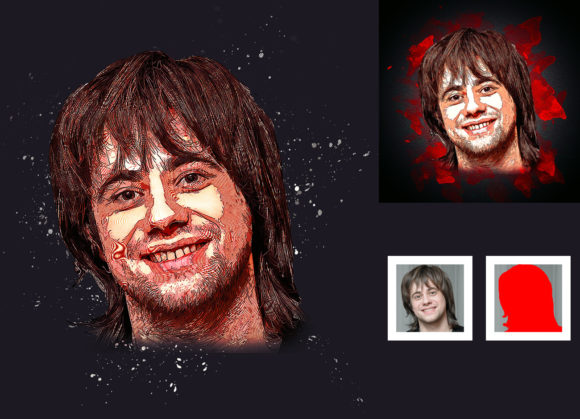
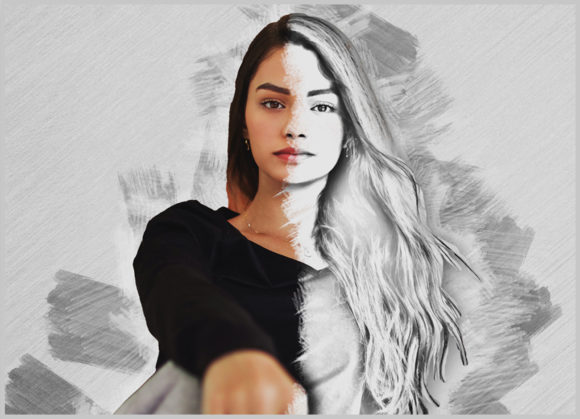
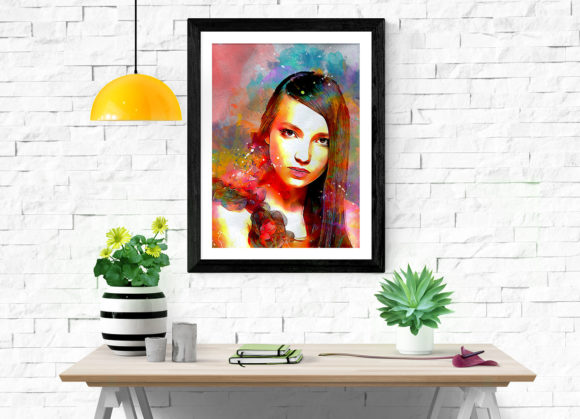
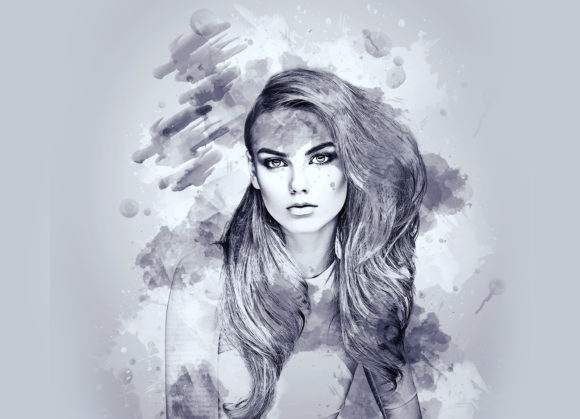
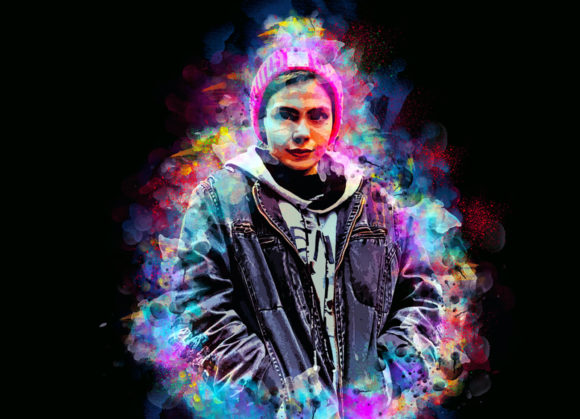
We have all been there. You have a perfectly good photograph, perhaps a portrait for a client or a product shot for your online store, but it feels flat. It lacks that punchy, artistic edge that stops people from scrolling past on social media. This is where the Color Splatter Photoshop Action comes into play. It is not just another filter; it is a tool designed to bridge the gap between standard photography and high-impact digital art. By transforming your photos into a real color splatter look, this professional pack allows you to turn ordinary images into extraordinary visual statements without needing years of manual painting experience.
Why Visual Impact Matters in Today’s Digital Landscape
In an era where attention spans are measured in seconds, static images often struggle to compete. Whether you are a marketer trying to boost click-through rates, a blogger looking to enhance header images, or a small business owner promoting a new launch, the visual appeal of your content is paramount. The Color Splatter Photoshop Action offers a non-destructive way to add dynamic energy to your visuals. Because the effect is fully customizable, you are not stuck with a one-size-fits-all preset. You retain control over the intensity, placement, and hue of the splatter, ensuring the final result aligns with your brand identity or artistic vision.
The core benefit here is efficiency mixed with quality. Manually creating realistic paint splatters involves complex layer masking, brush customization, and hours of tweaking. This action automates the heavy lifting while keeping the layers organized. For freelancers and entrepreneurs who bill by the hour or manage tight deadlines, this translates to faster turnaround times without sacrificing the professional polish clients expect.
Real-World Applications for Creators and Businesses
Understanding where and when to use this tool is key to getting the most out of it. Here are several realistic scenarios where the Color Splatter Photoshop Action adds significant value:
- Social Media Campaigns: If you are running a promotional campaign for a new sneaker line or a beauty product, a clean white-background photo can feel sterile. Applying a vibrant color splatter behind the product creates depth and excitement. With 20 different color options included in the pack, you can match the splatter exactly to your brand colors or the product’s accent tones, making the post visually cohesive and eye-catching.
- Event Promotion and Flyers: Music festivals, art exhibitions, and corporate parties often require posters that convey energy. Using this action on headshots of performers or speakers adds a chaotic, creative flair that suggests movement and fun. It helps potential attendees feel the vibe of the event before they even buy a ticket.
- Personal Branding for Creatives: Photographers, graphic designers, and illustrators often need portfolio pieces that showcase their style. Adding a subtle or bold splatter effect to your own headshot or project thumbnails can serve as a signature style. It signals to potential clients that you are modern, tech-savvy, and artistically inclined.
- Educational and Tutorial Content: Educators and YouTubers creating thumbnails for tutorials can use high-contrast splatter effects to highlight specific elements. For instance, if you are teaching a coding course, a splatter effect around a laptop or code snippet can draw the viewer’s eye to the focal point, increasing engagement and click-through rates.
How the Workflow Simplifies Your Creative Process
One of the biggest hurdles for many users is the fear that advanced Photoshop actions will be difficult to install or use. However, this particular pack is designed with usability in mind. It has been tested and verified to work seamlessly on Photoshop English versions ranging from CS5.5 up to CC2020. This broad compatibility means you do not need the latest software subscription to take advantage of it; older, stable versions work just fine.
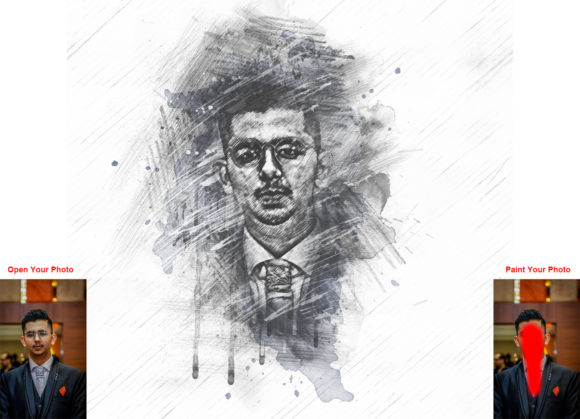
The process is straightforward and logical. First, you open your photo, which should ideally be around 2000x3000 pixels or 3000x2000 pixels at 72 DPI for optimal web and print results. You then create a new layer and, crucially, rename it “paint” in lowercase. This specific naming convention is how the action identifies where to apply the effect. You simply select a brush and paint over the areas where you want the splatter to originate. Once you hide the "paint" layer and hit play, the action does the rest.
This method gives you immense control. If you want the splatter to come from the left side of the subject, you paint on the left. If you want a subtle hint of color, you use a softer brush. If you want an explosion of color, you paint heavily. The action interprets your brush strokes and generates the splatter accordingly. This level of interaction ensures that no two results are exactly alike, keeping your content fresh and unique.
Customization and Flexibility
A common concern with automated actions is the lack of flexibility. Users often worry that they will be stuck with a generic look. The Color Splatter Photoshop Action addresses this by including 20 different color options. When you run the action, you can easily swap out colors to find the perfect match. Perhaps your initial choice was too bright for a corporate client; switching to a muted tone takes seconds. This ease of customization is vital for professionals who need to adhere to strict brand guidelines.
Furthermore, the effect is non-destructive. This is a critical feature for serious editors. Because the action organizes layers logically, you can go back and adjust opacity, blend modes, or mask out parts of the splatter that overlap incorrectly with your subject. You are not baking the effect into the pixel data permanently. This safety net encourages experimentation. You can try bold, risky designs knowing that you can always revert or tweak them later without starting from scratch.
What to Consider Before You Start
While the tool is powerful, getting the best results requires some preparation. Here are a few practical considerations to keep in mind:
- Image Quality: The action works on every photo, but high-resolution inputs yield high-quality outputs. Ensure your source image is sharp and well-lit. A blurry photo will result in a blurry splatter effect, which rarely looks professional.
- Subject Isolation: For the cleanest look, it helps if your subject is clearly separated from the background. If the background is cluttered, the splatter might blend in too much. Using a photo with a solid or simple background allows the color pop to stand out effectively.
- Brush Selection: The package includes specific brushes optimized for this action. While you can use standard brushes, experimenting with the included set will give you more predictable and aesthetically pleasing splatter patterns. Take time to read the included PDF help file and user guide to understand which brushes work best for different textures.
- Color Theory: Just because you can use any color doesn’t mean you should. Consider the mood you want to convey. Warm colors like red and orange evoke energy and passion, while cool blues and purples suggest calmness or mystery. Use the 20 provided options to test these emotional responses.
Support and Reliability
For those new to Photoshop actions, the learning curve can sometimes be steep. This package mitigates that risk by including comprehensive support materials. You get a dedicated help file, a PDF guide, and access to 24-hour support. Knowing that assistance is available if you run into installation issues or unexpected errors provides peace of mind, especially for small business owners who cannot afford downtime.
The inclusion of organized layers is another testament to the professional nature of this tool. Instead of a messy stack of unnamed layers, you receive a structured file that makes further editing intuitive. This organization is particularly beneficial for educators and publishers who may need to explain the process to students or clients. It demonstrates a workflow that is both efficient and transparent.
In conclusion, the Color Splatter Photoshop Action is more than just a decorative plugin. It is a practical solution for anyone looking to elevate their visual content with minimal effort and maximum impact. By combining ease of use with professional-grade customization, it empowers creators across various industries to produce standout imagery. Whether you are enhancing a personal blog, designing a commercial ad, or creating educational materials, this tool offers the versatility and reliability needed to succeed in a visually driven world.