Transforming Photos with Solid Watercolor Photoshop Actions: A Complete Guide
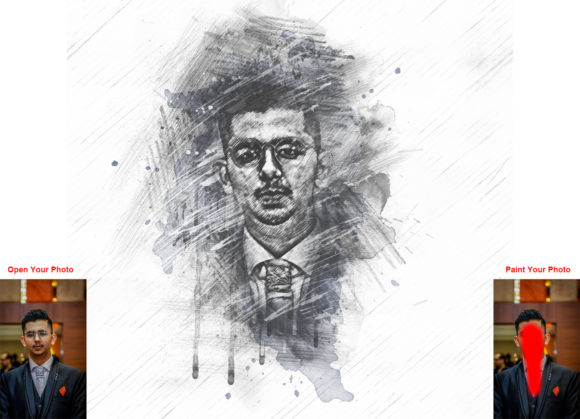
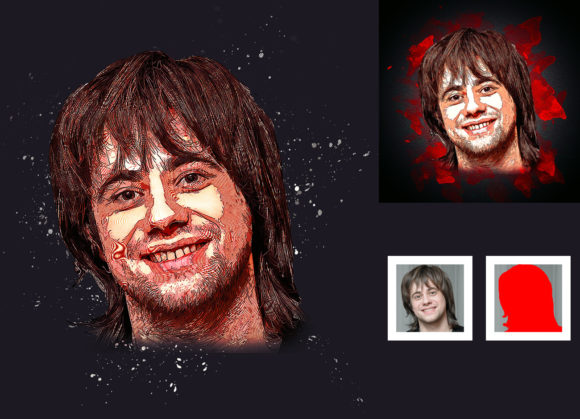
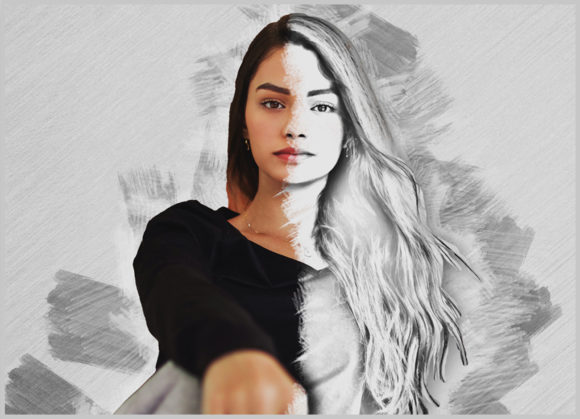
In the ever-evolving landscape of digital art and photography, the line between traditional media and digital manipulation continues to blur. For photographers, graphic designers, and creative enthusiasts, achieving a hand-painted aesthetic without spending hours on manual brushwork is a highly sought-after skill. This is where tools like the Solid Watercolor Photoshop Action become invaluable. Designed to transform ordinary photographs into extraordinary images with a genuine solid watercolor look, this professional pack offers a non-destructive, easy-to-customize solution for modern creatives.
Whether you are a seasoned designer looking to streamline your workflow or a beginner eager to explore digital painting effects, understanding how these actions work can significantly enhance your creative output. This article explores the functionality, benefits, and practical application of solid watercolor actions, helping you build a broader understanding of how automated tools fit into contemporary digital creativity.
Understanding the Solid Watercolor Effect
Watercolor painting is cherished for its fluidity, transparency, and organic texture. However, replicating this style digitally from scratch requires a deep understanding of layer masks, blending modes, and brush dynamics. The Solid Watercolor Photoshop Action simplifies this complex process by automating the technical steps while preserving artistic control.
Unlike simple filters that apply a one-size-fits-all overlay, a professional action creates a series of organized layers. This means the effect is non-destructive. You can tweak, adjust, or remove specific elements of the effect without altering the original photograph. This distinction is crucial for professional work, where flexibility and high-quality results are paramount. The "solid" aspect of this particular action refers to the vibrant, opaque quality of the colors, which can make images pop with a unique, illustrative charm distinct from traditional translucent watercolors.
Why Choose an Automated Action?
Time is a precious resource in creative industries. Manually converting a high-resolution photo into a watercolor piece can take several hours. With a pre-configured action, this process is reduced to minutes. But beyond speed, these actions offer consistency. If you are working on a series of images for a brand campaign or a personal portfolio, using the same action ensures a cohesive visual language across all pieces.
Furthermore, these tools democratize digital art. You do not need to be a master painter to achieve a painterly result. The action handles the heavy lifting of texture mapping and color separation, allowing you to focus on composition and creative direction.
Key Features and Customization Options
One of the standout features of this specific Solid Watercolor Photoshop Action is its versatility. Upon installation, users gain access to 20 different color options. This variety allows for extensive experimentation. You might choose a cool, muted palette for a serene landscape or a warm, vibrant scheme for a lively portrait. The ability to change colors easily means that a single photograph can yield dozens of unique artistic interpretations.
The action is designed to be user-friendly. Once installed, the layers are automatically organized, making it easy to navigate the file structure. This organization is vital for further customization. For instance, you might want to adjust the opacity of certain brush strokes or modify the contrast of the underlying photo. Because the action builds a logical layer stack, these adjustments are intuitive and straightforward.
Additionally, the pack includes specialized brushes and help files. These resources ensure that even if you encounter issues, you have the guidance needed to resolve them. The inclusion of a PDF help file and a detailed user guide underscores the professional nature of the product, aiming to support users at every step of their creative journey.
Compatibility and Technical Requirements
Before diving into the creative process, it is essential to ensure that your software environment is compatible. This action has been rigorously tested and is confirmed to work on Photoshop English versions, specifically CC2020. However, its compatibility extends back to earlier versions, including:
- CS5.5
- CS6
- CC2014
- CC2015 and CC2015.5
- CC2016 through CC2019
- CC2020
It is important to note that the action requires the English version of Photoshop. Users with other language settings may encounter errors during playback, as actions often rely on specific layer names and menu commands that vary by language. Ensuring your software matches these requirements is the first step toward a smooth workflow.
Step-by-Step Guide to Achieving Best Results
To get the most out of the Solid Watercolor Photoshop Action, following the correct preparation steps is crucial. While the action is easy to use, the quality of the output depends heavily on the input. Here is a logical workflow to ensure high-quality results:
- Prepare Your Canvas: Start by extracting your canvas area. Select your background image and use the crop tool. It is recommended to extend the canvas on two sides or all sides to give the watercolor effect room to breathe. Resize your image to approximately 3000x3000 pixels with a DPI of 72. This resolution provides enough detail for the action to work effectively without overwhelming your system.
- Create the Paint Layer: Open your photo in Photoshop and create a new layer. Rename this layer exactly as "paint" (in lowercase). This naming convention is critical because the action looks for this specific layer name to apply the effects correctly.
- Apply Base Colors: Select a brush and begin painting over your image on the "paint" layer. You do not need to be precise; broad strokes that capture the general color distribution of the photo work best. This step guides the action on where to place the watercolor textures.
- Execute the Action: Once you are satisfied with the base painting, hide the eye icon of the "paint" layer to keep the selection active but the layer invisible. Then, click the play button on the action panel. The script will process the image, applying the solid watercolor effect based on your underlying paint layer.
By following these instructions, you ensure that the action interacts with your image as intended, resulting in a professional-grade transformation.
Practical Applications in Modern Creativity
The utility of the Solid Watercolor Photoshop Action extends beyond personal art projects. In modern business and marketing, unique visual content is key to standing out. Brands often seek imagery that feels authentic and handcrafted to connect with audiences on an emotional level. Watercolor effects can soften corporate imagery, making it feel more approachable and artistic.
In education and publishing, these actions can be used to create engaging illustrations for textbooks, blogs, and social media posts. The ability to quickly generate multiple color variations allows educators and content creators to maintain visual interest across different platforms. For photographers, offering watercolor edits can be a lucrative add-on service, appealing to clients who want a whimsical or romantic interpretation of their portraits or wedding photos.
Common Misconceptions and Tips
A common misunderstanding is that using an action means sacrificing creativity. On the contrary, actions are tools that amplify creativity by removing technical barriers. They do not replace the artist's eye; they enhance it. Another misconception is that these effects look "fake" or generic. However, with proper preparation—such as the canvas extension and custom painting step mentioned earlier—the results can be incredibly nuanced and unique.
To avoid a generic look, experiment with the 20 color options provided. Do not settle for the default result. Dive into the organized layers to adjust blending modes or opacity. The more you interact with the file structure created by the action, the more personalized your final image will become.
Conclusion
The Solid Watercolor Photoshop Action represents a powerful intersection of technology and art. By transforming ordinary photos into extraordinary watercolor images, it empowers creators to produce high-quality, professional results with efficiency and ease. Its non-destructive nature, combined with extensive customization options and broad software compatibility, makes it a valuable asset for anyone involved in digital design.
Whether you are enhancing personal photos, creating commercial assets, or exploring new artistic styles, this tool offers a reliable pathway to achieving a sophisticated watercolor aesthetic. By understanding the preparation steps and leveraging the included features, you can unlock new dimensions of creativity in your work. Embrace the blend of digital precision and artistic flair, and let your images tell a more vibrant story.