Gnome Stamp Procreate: 65 Gnome Stamps for Whimsical Digital Art
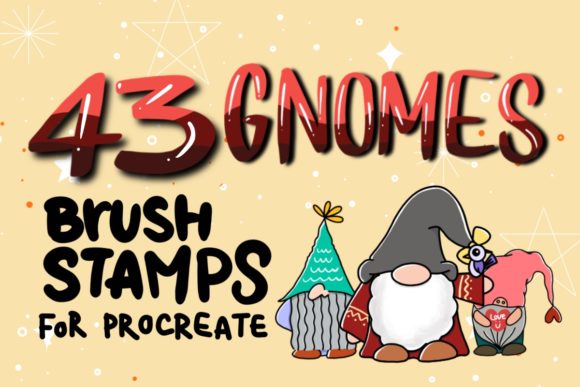
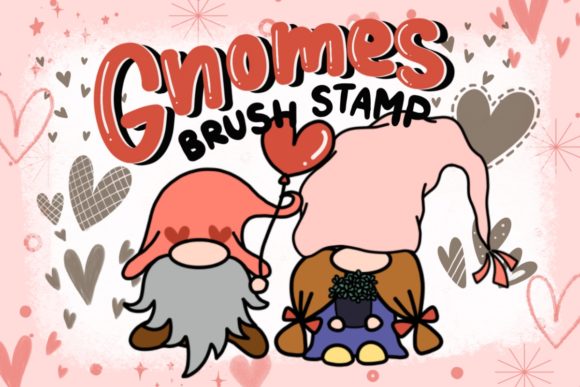
There is a specific kind of joy that comes from adding a touch of whimsy to digital design. Whether you are crafting a holiday invitation, designing a playful brand identity, or simply doodling to unwind, the right assets can transform a blank canvas into something magical. This is where the Gnome Stamp Procreate, 65 Gnome Stamps collection shines. It is not just a set of clipart; it is a versatile toolkit designed specifically for the iPad artist who values speed, flexibility, and hand-drawn charm.
Unlike static PNG files that require constant resizing and repositioning, these Procreate brushes function as dynamic stamps. You tap, and a gnome appears. You swipe, and a trail of mushrooms follows your pencil. This fundamental difference changes the workflow entirely, turning what could be a hours-long composition task into a fluid, intuitive creative session. For designers, illustrators, and hobbyists alike, understanding how to leverage these tools can significantly enhance productivity while keeping the artistic process fun and engaging.
Beyond Holiday Cards: Real-World Applications
When most people think of gnomes, their minds jump straight to Christmas cards or garden decor. While these 65 Gnome stamps are certainly perfect for seasonal projects, limiting them to holiday use misses their broader potential. The boho and cottagecore aesthetics have permeated nearly every corner of the design world, from wedding stationery to boutique packaging. These hand-drawn elements fit seamlessly into those trends, offering a rustic, organic feel that resonates with modern audiences.
Consider the world of small business branding. A bakery specializing in rustic breads or a shop selling handmade soaps might struggle to find stock imagery that feels authentic rather than corporate. By using these brush stamps for Procreate, a designer can create custom logos, social media headers, and product labels that feel personal and artisanal. The ability to change the color, opacity, and size of each stamp means you can match the brand’s palette perfectly without needing advanced illustration skills.
Another powerful application is in the creation of digital planners and journals. The community of digital planning enthusiasts is vast, and they are always looking for unique stickers and decorative elements to personalize their pages. With this set, you can generate endless variations of layouts. Want a border of tiny gnomes holding hands? Just select the brush and draw a line. Need a cluster of woodland creatures for a weekly spread header? A few taps make it happen. This flexibility allows creators to produce unique, sellable digital products like GoodNotes templates or printable planner inserts with remarkable efficiency.
The Advantage of Native Procreate Brushes
One of the most significant benefits of using a native Procreate stamp set over imported images is the integration with the app’s engine. These brushes are compatible with Procreate only, which means they take full advantage of the software’s capabilities. You are not fighting with layers or struggling to align separate image files. Instead, you are working within a unified environment where every element behaves predictably.
The hand-drawn nature of these assets ensures that no two stamps look exactly identical if you vary your pressure and angle. This organic variation is crucial for creating designs that feel human-made rather than computer-generated. When you use a standard clipart file, every instance is a perfect clone, which can look sterile. With these brushes, the slight imperfections and texture variations add depth and character to your work. You can scale and resize these stamp brushes effortlessly, allowing you to create everything from tiny background details to large, focal-point illustrations.
Furthermore, the non-destructive nature of digital art means you can experiment freely. If a gnome looks too dark, you lower the opacity. If the color clashes with your background, you adjust the hue. This level of control is essential for professional-grade design work, where consistency and aesthetic harmony are paramount. The Procreate brush tip technology ensures that the edges remain crisp and clean, regardless of how much you manipulate the size, preventing the pixelation that often plagues resized raster images.
Who Benefits Most from This Toolkit?
The versatility of the Gnome Stamp Procreate, 65 Gnome Stamps set makes it valuable for a wide range of users. Surface pattern designers, for instance, can use these elements to create repeating patterns for fabric, wallpaper, or wrapping paper. The whimsical nature of gnomes and woodland elements translates well into textiles, especially for children’s products or cozy home goods. By arranging the stamps in different configurations, a designer can quickly prototype multiple pattern ideas before committing to a final layout.
Social media managers and content creators also stand to gain. In the fast-paced world of Instagram and Pinterest, having a library of unique, on-brand graphics is essential. These stamps allow for the rapid creation of eye-catching posts, story backgrounds, and blog buttons. Instead of spending hours searching for free stock photos that everyone else is using, you can create custom visuals in minutes. This not only saves time but also helps establish a distinct visual identity that stands out in crowded feeds.
Educators and parents creating materials for children can also find great value here. Worksheets, reward charts, and classroom decorations become more engaging when adorned with friendly, hand-drawn characters. The playful style of these gnomes appeals to younger audiences, making learning materials feel less like chores and more like adventures. Additionally, because the files are digital, they can be printed at home or sent to a professional printer for high-quality results, depending on the need.
Technical Considerations and Setup
Before diving into creation, it is important to understand the technical requirements. These Procreate brushes are designed exclusively for the Procreate app on iPad. They do not work in Photoshop, Illustrator, or any other desktop application. This limitation is due to the proprietary format of Procreate brush sets, which encapsulate not just the image, but also the behavior, spacing, and scattering parameters of the stamp.
To use them, you will need an iPad Pro, Apple Pencil, or a compatible pressure-sensitive stylus. While you can tap with your finger, the precision and pressure sensitivity of a stylus allow for much greater control, especially when adjusting the size and opacity dynamically during the drawing process. The installation process is straightforward: you receive a text file with a link, download the brush set file, unzip it, and import it directly into Procreate. Once imported, the brushes appear in your library, ready to use.
It is worth noting that while these tools are easy to use, mastering them involves understanding how brush settings interact. For example, changing the jitter or spacing can turn a single stamp into a scattered pattern or a dense cluster. Experimenting with these settings can yield unexpected and delightful results. However, for most users, the default settings are optimized for immediate usability, allowing you to start creating awesome projects right away without a steep learning curve.
In conclusion, the Gnome Stamp Procreate, 65 Gnome Stamps collection is more than just a set of cute images. It is a practical, efficient, and inspiring tool for anyone looking to add a touch of whimsy to their digital projects. From professional designers creating brand assets to hobbyists making holiday cards, the flexibility and charm of these hand-drawn brushes offer endless possibilities. By integrating these tools into your workflow, you can streamline your creative process and produce unique, high-quality designs that captivate your audience.